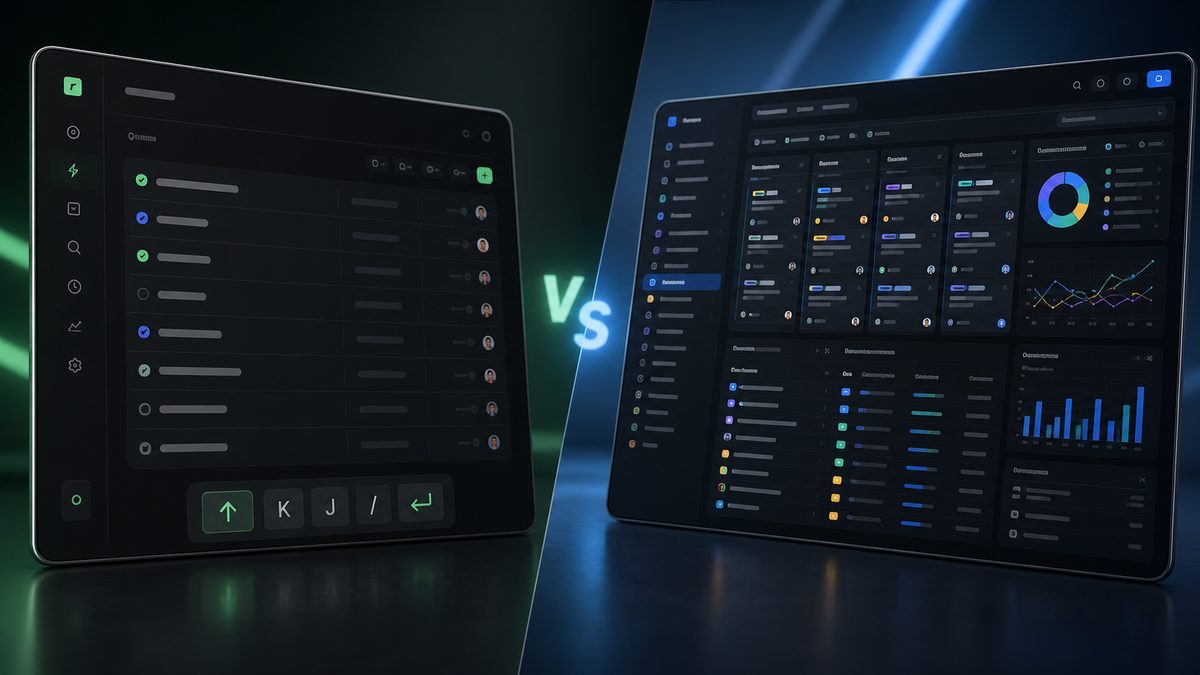
Linear and Jira sit at opposite ends of the project management spectrum. Linear is minimal, fast, and opinionated, built for product teams that ship software quickly. Jira is comprehensive, configurable, and slow, built for enterprises that need to model complex processes. I have used both with teams of different sizes, and the honest answer is that neither is objectively better: they are built for different kinds of work. The mistake most teams make is choosing based on what the tool can do instead of how the team actually operates. This guide compares them on the dimensions that decide the outcome, not the feature count.
The Short Verdict
For a small or mid-size product team that ships software fast: Linear. For an enterprise team with complex processes, multiple workstreams, and strict reporting needs: Jira. If you do not know which you need, start with Linear and migrate to Jira only if you grow into the complexity. The cost of switching is real in both directions, so the decision deserves more thought than “which has more features.”
Pricing: Linear Is Simpler, Jira Scales by User
Linear uses a simple three-tier structure: a free plan for small teams, a paid tier for growing teams, and a higher tier with advanced features like workload views, analytics, and integrations, priced per user per month. Jira (Software) uses the same per-user shape but with more tiers: Free for up to 10 users, then Standard, Premium, and Enterprise, with Premium adding advanced roadmaps, sandboxes, and AI features. The practical difference: Linear’s pricing is flatter and easier to budget, Jira’s gets expensive fast as you add users across tiers. Check the official pricing pages for current numbers, since both companies adjust them, but the structural pattern is stable: Linear is cheaper at small scale, Jira’s total cost grows with org size and configuration needs.
Linear Is for Speed
Linear is the fastest project management tool I have used. Creating a task takes seconds, the keyboard shortcuts are excellent, and if you are a developer or product manager, you can navigate the entire app without leaving the keyboard. Cycle time on small features is measurably faster in Linear than in Jira, because the UI gets out of the way.
The interface is opinionated. Linear assumes you know what you are doing and gives you clean defaults instead of empty configuration screens. That is a feature for experienced product teams and a friction point for everyone else: if your team includes non-technical members who expect hand-holding, they will need time to adjust.
Jira Is for Complexity
Jira handles every project management scenario: custom workflows, dependencies, sprints, releases, roadmaps, and it scales to hundreds of projects and thousands of users. If you are running a large software organization with multiple teams and complex processes, Jira is often the only realistic option, because it can model whatever your organization dictates.
But all that power comes with cost. Jira is slow, pages take time to load, and the interface feels dated. Configuring Jira is a project of its own, many teams spend weeks on initial setup, and every custom workflow is something you now maintain. For a team that does not need that complexity, Jira is a tax, not a tool.
Linear Strengths
- Speed. The UI is responsive, keyboard-first, and fast. Creating and triaging tasks takes seconds, not clicks.
- Clean defaults. Linear’s opinionated structure means you do not have to configure much. The defaults work for most teams.
- Modern integrations. Linear plays well with GitHub, Figma, and other developer tools, with a clean API and good automation.
- Focus. It is built for product development specifically, not for every project type, and that focus shows in the daily experience.
Jira Strengths
- Scale. Jira can handle hundreds of projects and thousands of users. Linear is not built for that scale.
- Reporting. Jira’s reporting and analytics are unmatched. If you need to extract metrics across multiple projects, Jira wins.
- Customization. Jira is infinitely configurable. Anything you can think of can be modeled, and enterprises depend on that.
- Ecosystem. Marketplace apps, enterprise support, and a workforce of consultants who know how to run it.
The Cost of Switching
Both tools take time to adopt. Linear’s learning curve is shorter, a few days for most teams. Jira takes weeks to configure properly, and migrating to it means rethinking your process, not just moving tickets. Moving from Jira to Linear is faster but painful in a different way: you have to give up the custom workflows you built, and teams that relied on Jira’s reporting will feel the loss immediately. Plan for the transition in both directions, and expect a dip in productivity for at least a month.
How They Compare, Side by Side
| Dimension | Linear | Jira |
|---|---|---|
| Best for | Small/mid product teams | Enterprises, complex processes |
| Speed of daily use | Fastest in category | Noticeably slower |
| Setup time | Minutes to days | Weeks of configuration |
| Custom workflows | Opinionated, limited | Unlimited |
| Reporting | Good for product teams | Unmatched depth |
| Scale | Up to mid-size teams | Enterprise scale |
| Learning curve | Short | Long, constant |
AI Features: The New Differentiator
Both tools have added AI features, and they reflect their philosophies. Linear’s AI is aimed at product work: AI-assisted issue writing, auto-summarization of cycles, and natural language filtering, designed for teams that want to move faster without leaving the keyboard. Jira’s AI, on Premium and Enterprise tiers, focuses on assistance within the existing ecosystem: AI-powered summaries, search, and automation recommendations that work with the workflows you already built. The practical difference mirrors the platforms themselves: Linear’s AI is a speed layer for fast product teams, Jira’s AI is an assist layer inside a complex system. Neither replaces the core decision, which platform your team’s process actually fits.
Which One Is Right
For a small or mid-size team that ships software fast, Linear is the better daily tool, and the team will be happier using it. For an enterprise team with complex processes, multiple workstreams, and strict reporting needs, Jira is the only realistic option, and the friction is the price of the flexibility. If your team does not know which they need, start with Linear: it is cheaper, faster to adopt, and migrating to Jira later is a natural growth path. Migrating the other way, from Jira to Linear, means shedding complexity you may have built real processes around. If you are evaluating the wider field first, our Cursor vs Windsurf and GitHub Copilot vs Cursor comparisons cover the adjacent AI-tooling decisions, and the ChatGPT vs Claude guide handles the AI assistant question separately.
Bottom Line
Linear and Jira are not competitors in the way most comparisons frame it. Linear is the tool for teams that want speed and clean defaults. Jira is the platform for organizations that need to model complexity and enforce process. Choosing between them is really a question about your team’s size, process maturity, and tolerance for configuration. Start with the simpler tool that fits today, and let growth, not hype, be the reason you ever migrate. If you are at the decision point right now, spend one afternoon mapping your current process: how many workflows you actually run, who needs reporting, and how long you are willing to spend on setup. That map points to the right tool faster than any feature comparison.