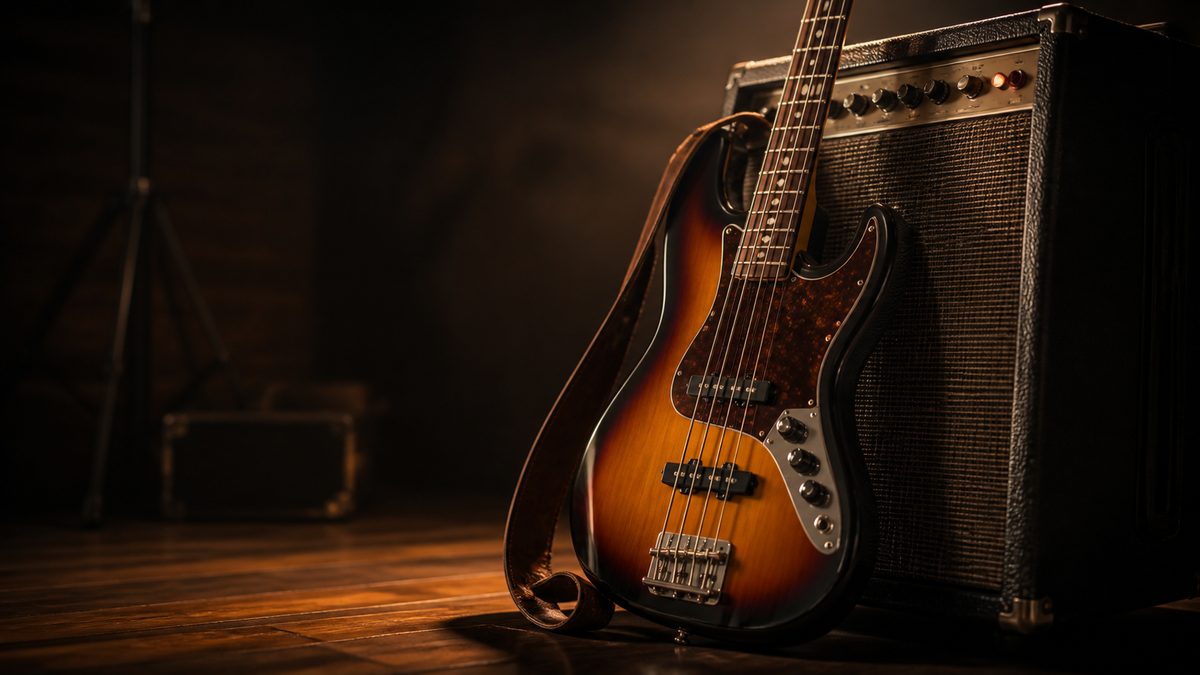
There is no dedicated “bass guitar image generator” product, and you do not need one. The current generation of general AI image tools, Midjourney, DALL-E 3, FLUX, Ideogram, and the free tier of most mainstream generators, all produce excellent bass guitar images when you prompt them right. The real skill is prompt engineering: getting the instrument details, lighting, and style you want out of a general-purpose model. This guide covers the tools that work, the prompts that get good results, and the honest limitations.
Why General Tools Beat a “Specialist” Tool
Specialist image generators exist for a few narrow categories, but bass guitars are too niche for anyone to build a dedicated model, and general models have absorbed enough instrument imagery to handle the task well. The advantage of using a general tool is flexibility: the same subscription that generates your bass guitar images also handles album covers, merch mockups, and promotional graphics. A specialist tool would give you one narrow capability and take your money for the rest.
The Tools That Work
Midjourney remains the strongest for photorealistic instrument shots. Its lighting and material rendering are the best in the class, and it handles glossy finishes, wood grain, and hardware detail convincingly. It is paid (around $10/month) and has a learning curve, but for high-quality bass imagery it is the benchmark.
FLUX (via platforms like fal.ai or Replicate) is the best free-and-open option. It produces strong photorealistic output with no subscription if you use the open weights, and it handles instrument prompts well. Quality varies by checkpoint, but the good ones rival Midjourney for many prompts.
DALL-E 3 (inside ChatGPT) is the most forgiving for beginners. Natural-language prompting works better than in any other tool, so “a sunburst Fender-style bass leaning against an amp in a dark studio” gets you close to what you described with no syntax tricks.
Ideogram is the pick when you need text in the image, a brand logo on a bass, or a poster-style graphic. Its text rendering is the best in the category.
Free options: Bing Image Creator (DALL-E), Canva’s AI, and the free tiers of Ideogram and various FLUX hosts all produce usable bass images, with watermarks or resolution limits.
Prompts That Get Good Results
The difference between a generic bass image and a great one is in the prompt. Include these elements:
- The instrument type and finish: “four-string electric bass, sunburst finish, maple neck” beats “bass guitar.”
- The context: “in a dim recording studio, warm key light” or “on stage, concert lighting” changes the mood completely.
- The style: “photorealistic” vs “vintage poster illustration” vs “watercolor” selects the whole aesthetic.
- Negative prompts where supported: “no text, no watermark, no people” removes the most common failure modes.
A concrete example that works well: “photorealistic four-string electric bass guitar, vintage sunburst finish, chrome hardware, leaning against a vintage amplifier in a moody studio, warm rim lighting, shallow depth of field, no text.”
The Honest Limitations
Three things will disappoint you if you do not expect them. First, brand fidelity: models do not reproduce Fender or Gibson logos correctly, so if you need an exact replica of a specific model, plan to add the logo yourself or accept generic hardware. Second, consistency across images: generating the same bass from two angles in separate prompts will give you two different instruments; for product-style consistency you need image-to-image workflows or a paid tool’s editing features. Third, fine details: fret counts and pickup configurations can be subtly wrong, which matters if you are a musician who will notice.
Bottom Line
For bass guitar images, stop searching for a specialist tool and use what you already have: Midjourney for quality, FLUX for free-and-open, DALL-E 3 for ease, Ideogram for text. Prompt with instrument detail, context, and style, and expect to retry a few times. For the broader picture of which image generators are worth your money, our roundup of the best AI image generators compares all the major options side by side.